This video explains how to set up an AI outbound calling system

Key Considerations Before You Start Configuring Your AI Outbound Calling Agent
What you will need:
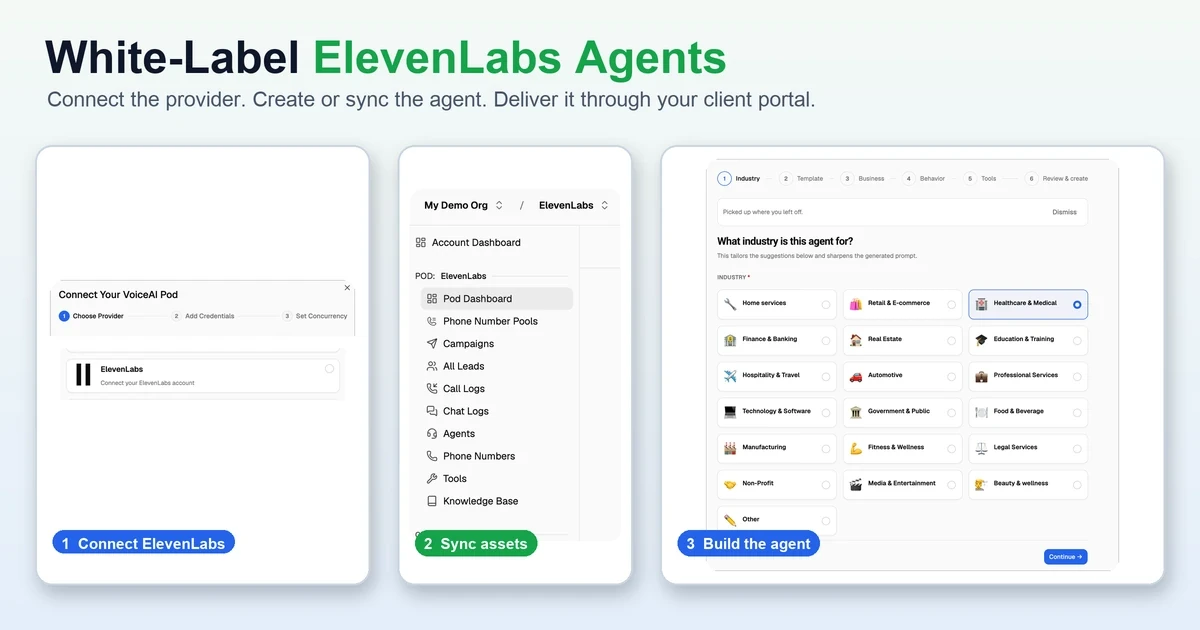
A connected Vapi, Retell AI or ElevenLabs Agents account.
An outbound-capable VOIP phone number.
A lead list/lead source and consent to call into the leads.
Call success definition. What makes the call a success - a calendar booking, a service rating, etc.
Authorized test recipients for your internal testing.
CRM or webhook credentials if outcomes need to be sent elsewhere.
Tools like a scheduling software (Cal, Google calendar, Go HighLevel calendar), SMS - anything that you want to be connected to the calling process.
COMPLIANCE CHECK
AI-generated voices fall under the FCC's interpretation of the Telephone Consumer Protection Act (TCPA) for artificial or prerecorded voices. Covered telemarketing also requires attention to calling windows, do-not-call (DNC) requests, consent records, and stricter state rules. Check legal guidelines. A form disclaimer alone does not establish valid written consent.
Where each setting lives
How the outbound calling workflow operates
An outbound AI calling workflow is dependent on four systems. The voice AI provider runs the agent, voice, tools, and phone connection. VoiceAIWrapper manages lead eligibility, schedules, retries, callbacks, do-not-call handling, webhooks, logs, and campaign diagnostics.
The carrier handles telephone delivery, while the CRM stores the lead and call outcome. Before calling real contacts, test a qualified outcome, no answer, callback request, do-not-call request, and a failed number or webhook. Also confirm consent against the FCC ruling and applicable calling restrictions in the FTC guidance.
1.Define the permitted use case and your success outcome
Clearly define who may be called, why they may be called, what the agent should accomplish, and what outcome ends the workflow.
Verify contact-list source and consent record.
Finalize qualified outcome and stop conditions.
List down disallowed outcomes.
Add the required identity and disclosure language approved by your legal team to your agent prompt.
2.Connect the provider and verify the connection
Confirm the provider is connected, the expected agent appears, and an authenticated outbound test succeeds.
3.Build or sync the outbound agent
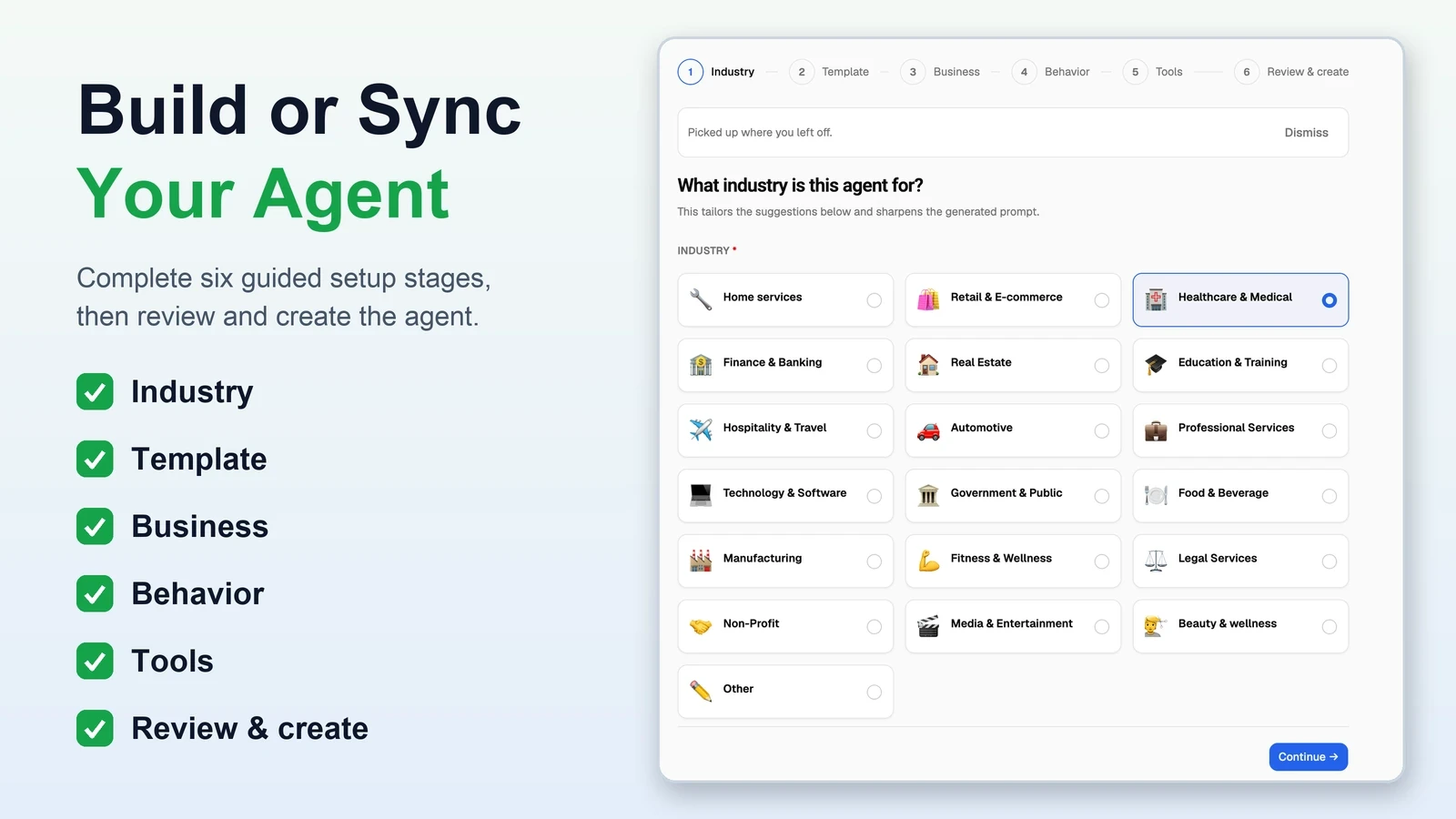
The VoiceAIWrapper wizard sends the agent configuration to the connected provider. The provider creates and runs the agent, while VoiceAIWrapper manages the connected workflow. Confirm the objective, opening line, knowledge, variables, tools, and end-call conditions before adding the agent to a campaign.
4.Assign a phone number or number pool
Phone-number pools are included in Scale and are not included in PayasYouGo. Confirm provider and telephony configuration before deployment.

5.Add authorized leads by manual entry, CSV, or API
Add only leads for which you have a documented, campaign-specific consent basis. For advertising or telemarketing calls that use an AI-generated voice, a form disclaimer is not enough by itself. Retain evidence of prior express written consent unless qualified counsel confirms an exemption. Enter phone numbers in E.164 format, for example +14155550100. Before activation, verify field mapping, required variables, duplicate handling, existing DNC suppression, and rejected rows. Reccomended read FCC AI-generated voice ruling and FTC telemarketing guidance.

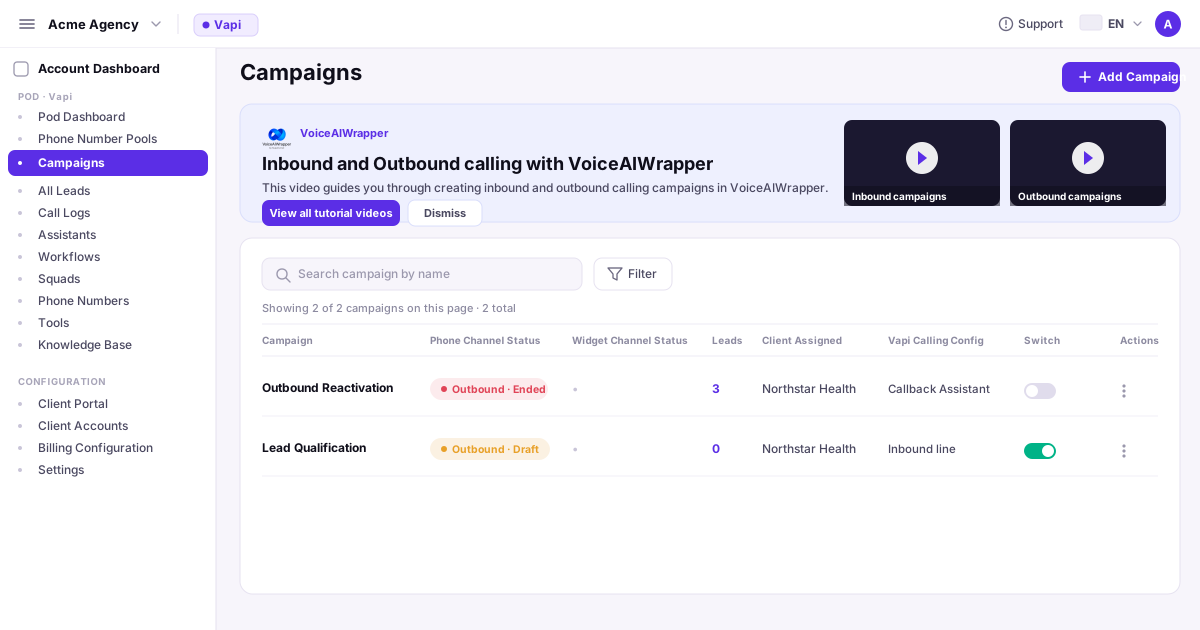
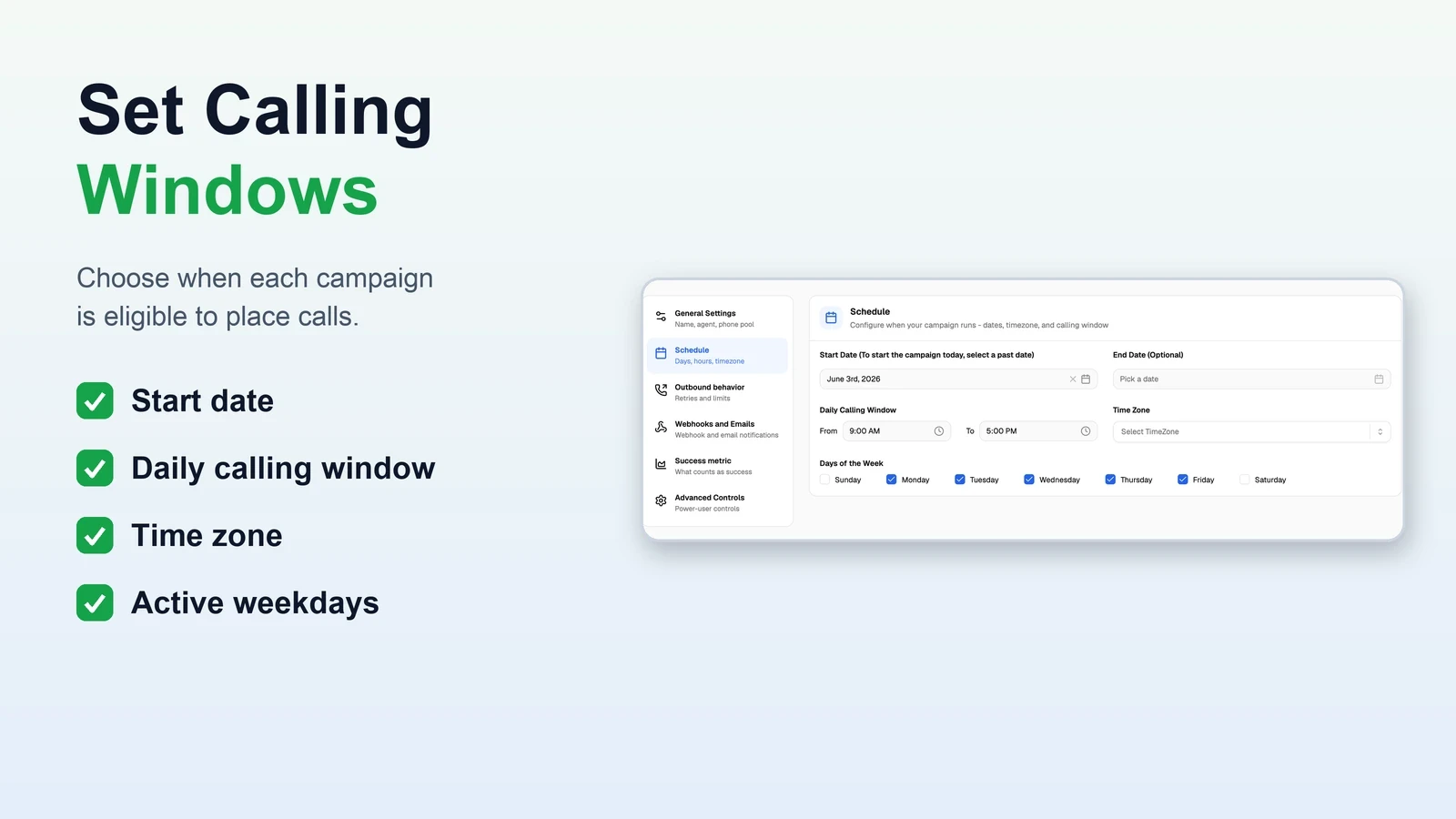
6.Configure calling windows, timezones, attempts, and retries
VoiceAIWrapper allows you to set windows, timezone, maximum attempts, delay rules, no-answer handling, and callback precedence. Make sure you pay attention to local laws while setting this up to stay within compliance guidelines.
7.Configure provider-side tools
Create booking, transfer, SMS, or other callable tools in the connected provider. Define each tool’s required inputs, success response, error response, and spoken fallback. In the agent prompt, reference only variables that VoiceAIWrapper receives with the lead and maps into the call. n8n, Make, or Zapier may help with intake or downstream automation, but they do not make a provider tool callable by themselves.

8.Connect lead intake and post-call outcomes to the CRM
Pre-call variables can be fed to the agent using our API and post-call outcome, transcript, summary, disposition, and selected fields etc can be sent to a CRM system like GoHighLevel, HubSpot, etc. using our forwarding webhook. Similarly, the forwarding webhook can also relay calling data to n8n, Make, Zapier, etc.
Note: n8n, Make, or Zapier is not required for core campaign scheduling using VoiceAIWrapper. It may still be useful for intake, enrichment, routing, or downstream updates.

9.Configure extraction, success rules, and DoNotCall protocol
If you are extracting lead data post call, define each extracted field and type before they land up in your CRM. For Smart DNC (VoiceAIWrapper feature that marks leads as DoNotCall), show caller_requested_do_not_call as a boolean and define how a true value suppresses later calling attempts. Current documentation lists Smart DNC support for Vapi, Retell AI and ElevenLabs Agents. Verify support before using it with another provider. Smart DNC records and suppresses supported do-not-call requests, but it does not make a campaign legally compliant.

10.Run five controlled test scenarios
11.Activate, monitor, and run the campaign health check
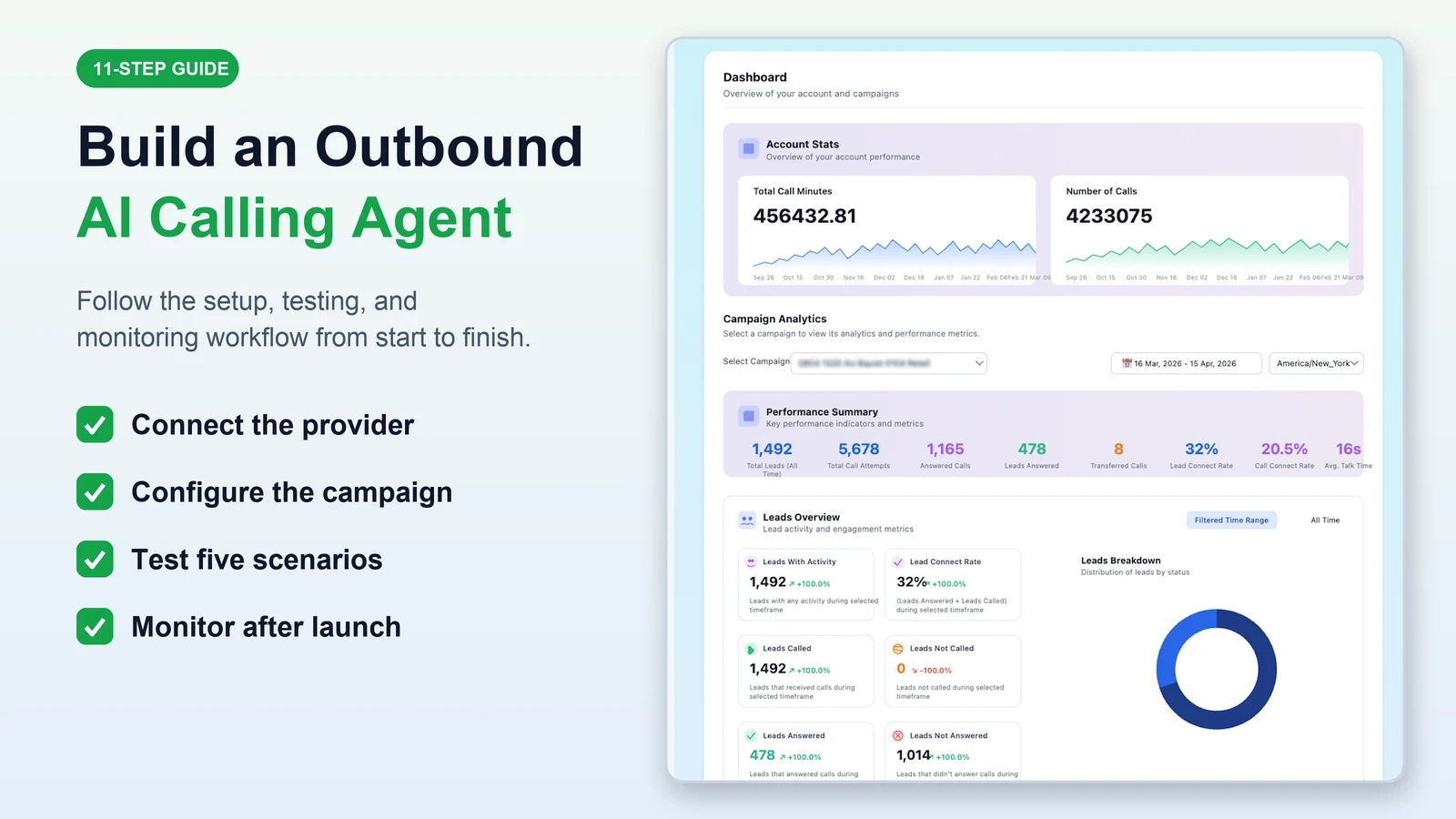
VoiceAIWrapper’s Campaign Health Check is a one-click, on-demand diagnostic. It can flag provider or setup issues, disabled or unscheduled campaigns, calls outside configured hours, lack of eligible leads, invalid or DNC leads, maximum-attempt limits, concurrency limits, and billing blockers. It suggests a next action. Review attempt logs, transcripts, summaries, extracted fields, provider errors, and webhook responses separately.

Troubleshoot the first failure, not every setting
What to review on Day 1, Day 2, and Day 7
Day 1
Start with a small sample lead list. Watch the first calls and errors. Stop if identity, consent, DNC, timezone, or tools fail.
Day 2
Review outcomes, no-answer handling, per-number behavior, webhook failures, and duplicate CRM updates.
Day 7
Review attempts, callbacks, DNC events, unresolved errors, and whether extracted success matches the transcript.
Do not launch yet if
The list source or consent basis cannot be verified.
Required identity or disclosure copy has not been legally vetted.
A DNC request does not suppress later calls.
Booking, transfer, or CRM updates have no tested failure path.
Calling windows have not been tested across timezones.
Frequently Asked Questions
How do I create an AI agent for outbound calling?
Connect a supported voice AI provider, configure and test the agent, assign an outbound-capable number, and add only authorized leads. Then set recipient-local calling windows, attempt limits, retries, callbacks, outcome extraction, and CRM delivery. Before activation, run the five controlled scenarios in this guide and confirm every expected log, field, suppression rule, and next action.
Do I need n8n or Make to run an outbound campaign?
No external automation tool is required for VoiceAIWrapper's core campaign scheduling. You may still use n8n, Make, or Zapier to bring leads into the campaign, enrich records, route outcomes, or update a CRM after each call. Test which system owns retries and duplicate handling so one event does not create repeated records or tasks.
How do I connect CRM leads to the campaign?
Send the required lead fields through manual entry, CSV, or the supported API flow, then map each field to a campaign variable. Return the call outcome through an authenticated webhook and map it to an existing CRM status. Test one authorized lead in both directions, including a repeated event, before importing a larger list.
What should I test before calling a real list?
Use authorized test recipients to complete five scenarios: a qualified outcome, no answer or voicemail, callback request, DNC request, and an invalid-number or webhook-failure case. For each scenario, confirm the phone number, call log, transcript, extracted fields, next scheduled action, suppression state, webhook response, and final CRM status.
Why did my outbound campaign stop dialing?
Check whether the campaign is active and inside the recipient's calling window. Then inspect eligible leads, invalid-number or DNC status, maximum attempts, callbacks, simultaneous-call limits, billing, and the connected provider. VoiceAIWrapper's on-demand Campaign Health Check can identify several of these blockers and suggest the next setting to inspect.
How should an AI calling agent handle a do-not-call request?
The agent should identify the request, store the supported `caller_requested_do_not_call` boolean as true, end the sales workflow, and suppress later eligible attempts. Test the result by confirming the extracted field, lead history, and absence of another scheduled call. The exact implementation and recordkeeping must match the laws and policies that apply to the campaign.
Related implementation resources
White-label AI outbound calling software for agencies.
Building an inbound workflow instead? Follow the inbound AI agent setup guide. If you are assessing the client-facing service model, review the white-label AI receptionist for agencies.
Ready to evaluate the operating platform?
Like this article? Share it.