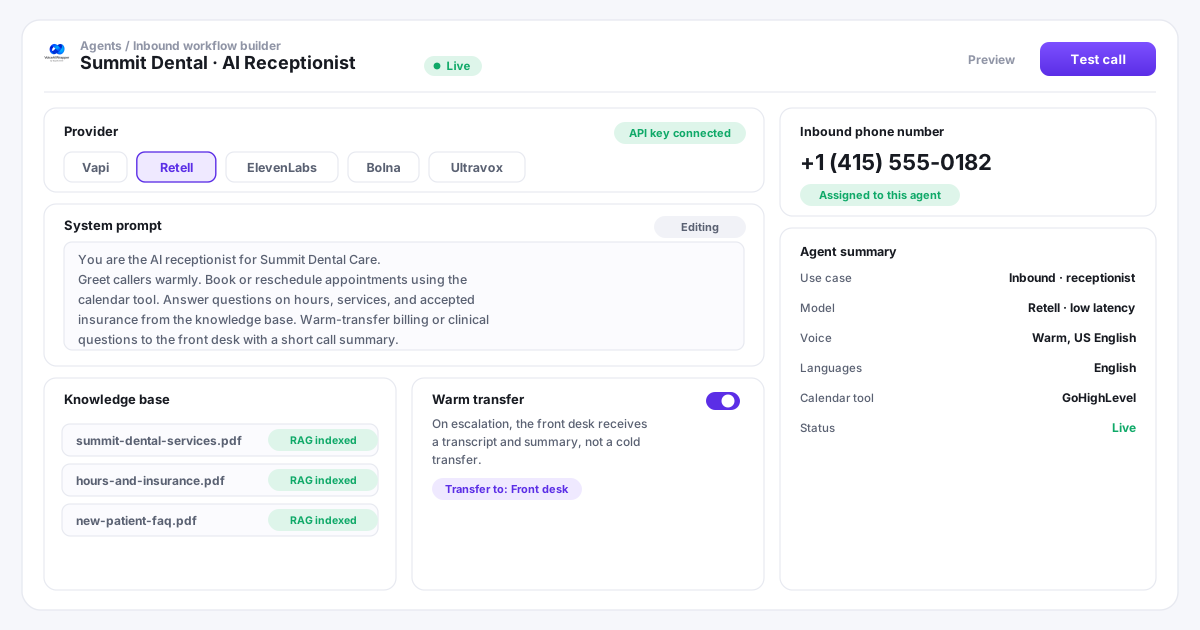
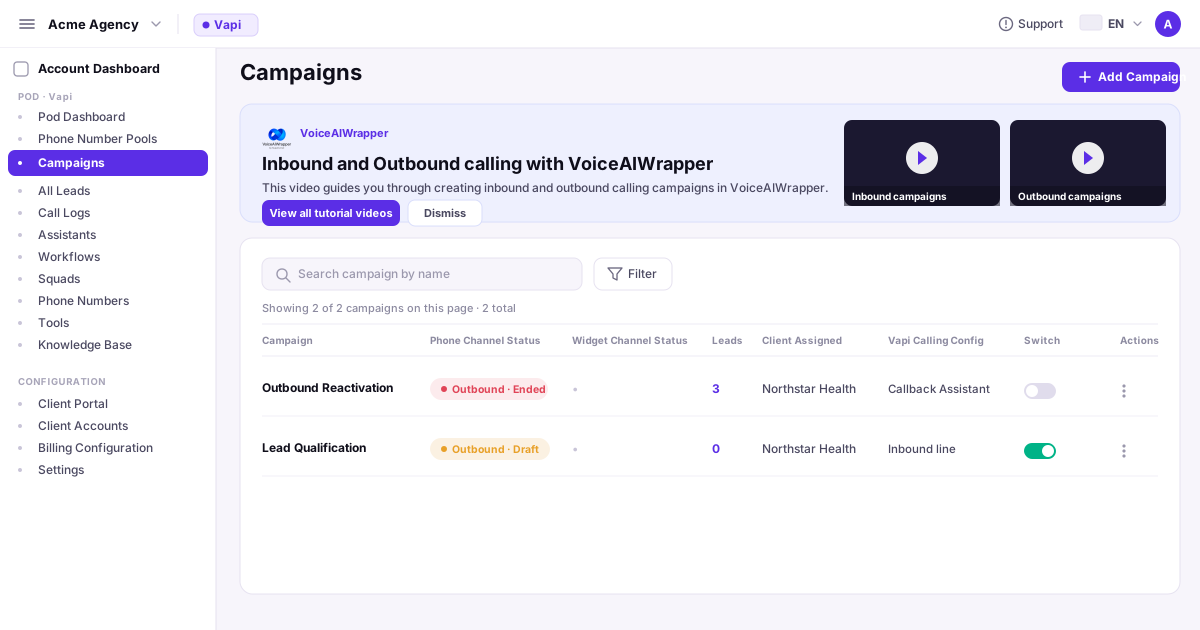
An inbound AI voice agent answers your client's calls 24/7, books appointments, deflects FAQs, and routes callers to a human by warm transfer. It runs on the agency's existing API key from any of the 5 conversational agent platforms and deploys under the client's brand through VoiceAIWrapper.
What it does. Answers every call instantly, qualifies and books, deflects repeat FAQs, captures the caller's details, and warm-transfers to a human when the conversation needs one.
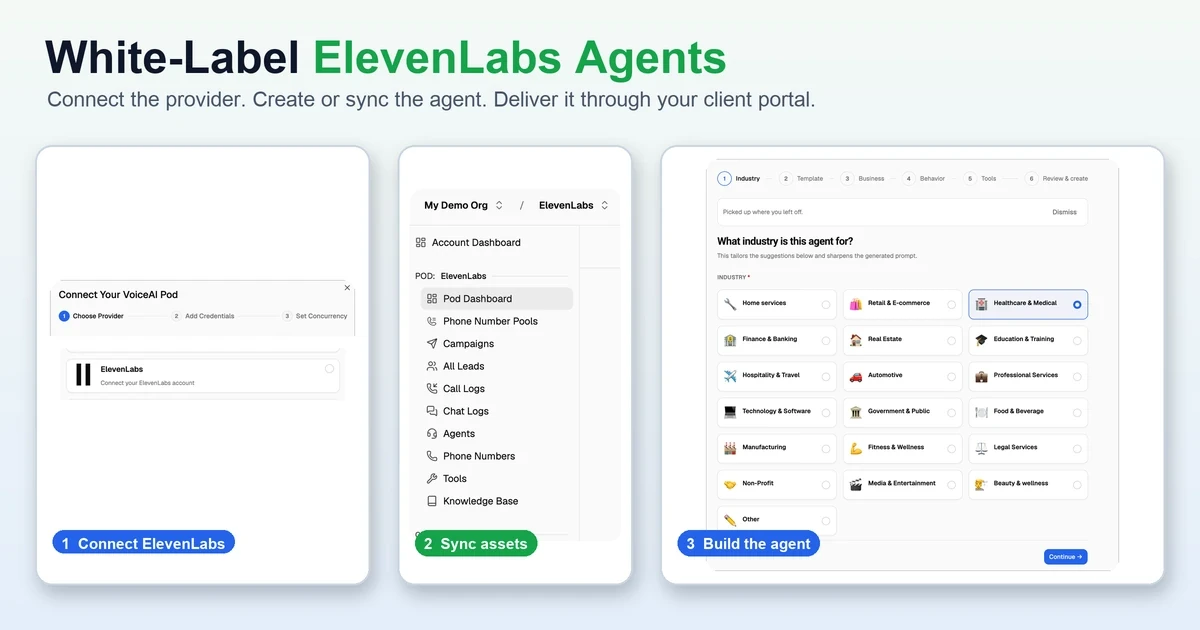
Built once, on the provider you choose. The agent lives in Vapi, Retell, ElevenLabs Agents, Bolna, or Ultravox; VoiceAIWrapper syncs it and wraps it in a branded client portal.
Resold under your brand. Your domain, your pricing, your client login, with markup billing handled inside VoiceAIWrapper. Not a receptionist replacement pitch; a 24/7 coverage layer.
Start Free on PayasYouGo. Usage and add-ons are separate.
On this Page
AN HONEST ASSESSMENT
If you are evaluating inbound AI voice agent platforms for your agency, there are real cases where another platform serves you better. MyAIFrontDesk suits agencies that need a single-vertical AI receptionist deployed in minutes without multi-provider flexibility. Synthflow Agency fits teams that want a proprietary single-engine platform with a fixed pricing model and no API-key management overhead. ChatDash is the closest 3-provider white-label peer. Where VoiceAIWrapper wins: it is the only platform that white-labels all 3 conversational agent platforms (Vapi, Retell, ElevenLabs Agents) in one account, with an inbound workflow builder for 24/7 always-on reception, warm-transfer configuration across all 3 providers, knowledge-base RAG via Retell and ElevenLabs docs, BAA availability to confirm with support before a healthcare deployment, zero per-minute markup, agency-set markup pricing, SOC 2 Type 2 + GDPR, and a first-client setup workflow and Start Free on PayasYouGo.
KEY TAKEAWAYS
1Confirm BAA availability and deployment requirements with support before deploying. Current new-customer plan information does not assign BAA entitlements to PayasYouGo or Scale. Existing users are grandfathered into their previous plans. Do not process PHI until the required agreements are executed for the platform, provider and agency layers.
Deploy an always-on inbound AI agent for your first client in under an hour.
The general 7-day trial has ended. Start Free on PayasYouGo at $0/month, with a one-time gift of 1,000 AI credits and no recurring AI credits. Optional add-ons and usage may carry separate charges. Refund requests made within 7 days of purchase are reviewed under the published Refund Policy: https://voiceaiwrapper.com/legal/refund-policy.
PayasYouGo or Scale; review current plan requirements
DEFINITION
What is an inbound AI voice agent (and how it differs from IVR)
An inbound AI voice agent is an LLM-powered voice agent that receives and handles incoming phone calls without a human answering. The caller speaks in natural language; the agent understands, responds conversationally, and takes action: book an appointment, answer a FAQ, look up account information, or transfer to a human with a call summary. No touch-tone menus. No rigid decision trees.
1
How inbound AI differs from IVR
A traditional IVR (interactive voice response) system routes calls via touch-tone menus: "Press 1 for appointments, press 2 for billing." An inbound AI agent has an actual conversation. The caller says "I need to reschedule my appointment for next Thursday afternoon" and the agent understands the intent, checks the calendar via a tool call, and books the slot. No menu traversal.
Natural-language understanding vs touch-tone menu selection
Knowledge-base RAG (retrieval-augmented generation): answers sourced from the business's actual documents, not pre-scripted responses
Function calling: the agent executes live lookups (calendar, CRM, order system) and uses the data in its response
Warm transfer with summary: when escalating, the receiving human gets a transcript, not a cold transfer
These are the most common inbound AI voice agent deployments agency clients commission. All 10 are supported across the 3 conversational agent platforms VoiceAIWrapper white-labels.
AI receptionist / front desk (24/7 always-on coverage)
After-hours answering (capture calls that would otherwise go to voicemail)
Appointment booking and scheduling with calendar integration
Inbound lead qualification (score, capture, route to sales)
Call routing and warm transfer to human agents with transcript
FAQ deflection (answer the 20 most common questions automatically)
Order status and account lookups via CRM tool calls
IVR replacement (same use cases, natural language instead of touch-tone)
Overflow and peak-hour handling (no missed calls during busy periods)
Voicemail-to-action (capture after-hours request and trigger a follow-up workflow)
Inbound AI receptionists, appointment bookers, and FAQ agents for unlimited clients from one dashboard.
The general 7-day trial has ended. Start Free on PayasYouGo at $0/month, with a one-time gift of 1,000 AI credits and no recurring AI credits. Optional add-ons and usage may carry separate charges. Refund requests made within 7 days of purchase are reviewed under the published Refund Policy: https://voiceaiwrapper.com/legal/refund-policy.
PayasYouGo or Scale; review current plan requirements
INBOUND USE CASES BY VERTICAL
Inbound AI voice agent use cases agencies sell to clients
Inbound AI receptionist services are easier to sell than outbound, because the value proposition is immediate: the client’s phone rings and the AI answers. Every business has inbound calls they currently miss or pay a human to handle. The ROI conversation starts from a known baseline. See the voice AI market opportunity for full category growth data.
1
Healthcare and Dental
Approximately 58% of US healthcare organizations had piloted or deployed an AI front-desk solution as of 2025, per Botphonic AI (September 2025). Forecast: 75% adoption by 2027. Healthcare AI receptionists deliver 25-40% reduction in no-show rates through appointment reminders. A missed inbound call costs a dental practice an average of $10,000+ per year in lost leads at moderate volume.
Confirm BAA availability and deployment requirements with support before deploying. Current new-customer plan information does not assign BAA entitlements to PayasYouGo or Scale. Existing users are grandfathered into their previous plans. Do not process PHI until the required agreements are executed for the platform, provider and agency layers.
AI receptionists reduce intake call duration by 30-50% at law firms, per Botphonic AI (September 2025). ElevenLabs publishes a dedicated law firm virtual receptionist agent template. Legal intake calls are a high-friction, high-value category: callers are often anxious, brief, and ready to hire if handled well. AI handles qualification and scheduling; the attorney handles advice.
Intake screening (practice area fit, case type, urgency)
Consultation scheduling and confirmation
Warm transfer to paralegal or attorney for complex intake
After-hours capture with automated follow-up workflow
35-60% of inbound leads are lost to unanswered calls without AI coverage (per Botphonic AI, September 2025). In real estate and home services (HVAC, roofing, plumbing), speed to answer is a primary conversion factor. The caller who gets an AI receptionist answering on the first ring books faster than the caller who leaves voicemail.
Immediate response to inbound inquiry calls (no voicemail)
Property or service FAQ deflection
Appointment booking for viewings, estimates, or consultations
Inbound lead qualification (budget, timeline, location) before human follow-up
The virtual receptionist market was $3.85 billion in 2024, projected to reach $9 billion by 2033 (CAGR 9.8%), per Botphonic AI citing market research (September 2025). Most of that demand comes from SMBs that cannot staff a full-time receptionist but still need every call answered. Agencies can build an inbound AI receptionist for any SMB client in under an hour once the VoiceAIWrapper workflow is set up.
General FAQ deflection for any business vertical
Booking and scheduling for any appointment-based business
After-hours coverage at a fraction of live-answering service cost
AI vs human cost: approximately $0.44 per 4-minute AI call vs $2.70-$5.60 for a human agent call
What makes an inbound AI voice agent good vs mediocre
Six technical factors separate an inbound AI agent that clients keep from one they cancel. VoiceAIWrapper is NOT an agent builder. Agents are configured inside your chosen provider (Vapi, Retell, ElevenLabs Agents). VoiceAIWrapper syncs them via API key and adds the inbound workflow, white-label portal, and billing layer. See the white-label platform features for the full VoiceAIWrapper-native capability list.
QUALITY FACTOR
WHAT IT MEANS
WHY IT MATTERS
Latency
Sub-800ms end-to-end for natural conversation; sub-500ms is the human-conversation baseline. Retell AI benchmarks at ~680ms median (Tested Media April 2026); Vapi at ~720ms.
Callers perceive pauses over 800ms as "the AI is thinking." Pauses over 1,200ms cause callers to hang up or start repeating themselves.
Barge-in / interruption handling
Real-time voice activity detection (VAD) using 10-20ms audio frames with echo cancellation. Target barge-in response: under 300ms.
Three failure modes: (a) false positives (agent stops when caller coughs), (b) missed barge-in (agent keeps talking after caller interrupts), (c) echo bleed (agent's TTS confuses the VAD). All three erode trust.
Knowledge base / RAG
Retrieval-augmented generation (RAG): embeds the business's documents into a vector database. During a call, retrieves the relevant chunks and injects them into the LLM context. The agent answers from verified business content, not from the LLM's general training.
Without RAG, the agent hallucinates prices, hours, and policies. With RAG, answers are grounded in what the business actually published. Retell's knowledge base supports URL auto-crawl, PDF, TXT, DOCX. ElevenLabs supports PDF, TXT, DOCX, HTML, EPUB, and URL ingestion.
Function calling
The agent executes pre-defined tools during the call: calendar lookup, CRM query, order status check. The returned data shapes the agent's next response.
An agent without function calling can only recite FAQ answers. An agent with function calling can actually book the appointment, look up the order, or check the appointment slot. That is the difference between a FAQ bot and a receptionist.
Warm transfer with context
When escalating to a human, the agent passes the call transcript or a summary to the receiving human before the call connects. Vapi supports 7 warm transfer modes including Warm Transfer with Summary (passes the transcript variable).
Cold transfers (no context) cause callers to repeat their entire situation to the human. Repeat-yourself handoffs are the largest single source of CSAT drop in AI-to-human escalation.
Guardrails / hallucination control
A dedicated Guardrails section in the system prompt listing non-negotiable rules: "Never guess prices. Never give medical or legal advice. Acknowledge when you do not know and offer to find out."
In regulated verticals (healthcare, legal, financial), an agent that makes up an answer creates legal liability. Guardrails prevent the model from attempting to answer outside its verified knowledge base.
STEP-BY-STEP BUILD
How to build an inbound AI agent inside VoiceAIWrapper: 9 steps
VoiceAIWrapper is NOT an agent builder. The agent (voice, prompt, knowledge base, tool calls) configures inside your chosen provider. VoiceAIWrapper syncs it via API key and adds the inbound workflow, white-label portal, and agency billing layer. These 9 steps take a new agency from zero to a live inbound agent deployed under a client’s brand. VoiceAIWrapper’s 60-minute setup claim applies to Steps 1-3 and Step 8.
Step 1
Connect your provider API key
Stripe, external billing and GoHighLevel integration are available on both current plans. Scale includes campaign APIs and external billing API access; these APIs are not included in PayasYouGo.
Outcome: Provider API key connected. All existing provider agents are visible in the VoiceAIWrapper admin.
Step 2
Create the inbound agent inside the provider
Inside your chosen provider (not inside VoiceAIWrapper), create a new agent. Configure the voice (TTS model, voice ID), the base LLM, and the language. Name the agent after the client's brand. This name appears in call transcripts but is never announced to callers. The agent you create here is what callers actually speak to; VoiceAIWrapper wraps it in the agency's billing and portal layer.
Outcome: Agent created inside provider with voice, LLM, and language configured. Agent visible in VoiceAIWrapper admin via the API key sync.
Step 3
Write the inbound system prompt
Structure the inbound system prompt in five sections, each on its own heading so the model prioritizes correctly:
Identity and Role. Who the agent is, the business it represents, and the one job it owns on the call.
Guardrails. What it must never do or claim. Give this its own heading so these rules rank highest.
Knowledge Boundaries. What it can answer from the knowledge base and what it must defer.
Escalation Rules. The exact conditions that trigger a warm transfer to a human.
Tone. Short, action-based voice instructions; concise beats verbose on a phone call.
See Section 6 for the full prompt structure with a worked dental-office example. Red flag: copying an IVR decision tree into the prompt produces rigid, robotic behavior.
Outcome: System prompt written with all 5 sections. Guardrails heading present. Prompt reviewed against the red-flag list in Section 6.
Step 4
Attach the knowledge base
Upload or link the client's key content: their website FAQ, pricing page, service descriptions, and objection-handling guide. For Retell: use the dashboard's Knowledge Base tab, which supports URL auto-crawl, PDF, TXT, and DOCX (up to 500 URLs, 50 text snippets, 25 files at 50MB each). For ElevenLabs: upload via the Knowledge Base section of the agent configuration (supports PDF, TXT, DOCX, HTML, EPUB, and URL). RAG retrieves relevant chunks automatically during calls, grounding the agent's answers in verified business content.
Outcome: Client’s FAQ, pricing, and service content loaded into the knowledge base. Agent answers sourced from business content, not from LLM training data.
Step 5
Configure the inbound phone number and routing
Provision a dedicated phone number for the client via Twilio, Telnyx, or the provider's native number purchase. Assign the number to this agent so all inbound calls to that number automatically reach the agent. In VoiceAIWrapper, this is done in the inbound workflow builder. Configure business-hours routing and after-hours behavior: during business hours, the agent answers and handles calls; outside business hours, the agent takes a message, schedules a callback, or routes to voicemail depending on the client's preference. Confirm the exact routing controls available on your plan inside your account.
Outcome: Dedicated inbound number provisioned and assigned to the agent via VoiceAIWrapper’s inbound workflow builder. Business-hours behavior configured.
Step 6
Set up warm transfer and escalation
Define escalation triggers in the system prompt: caller explicitly asks for a human; caller is upset or uses aggressive language; question involves a medical, legal, or financial decision; caller is an existing patient or client with an account issue requiring system access. Configure warm transfer destinations (the client's staff phone number). For Vapi: use the transferCall tool with Warm Transfer with Summary configuration so the receiving human gets a transcript before the call connects (Vapi warm transfer currently requires Twilio-based telephony; check the Vapi docs for current telephony compatibility). This prevents the repeat-yourself failure mode that causes the most CSAT drop in AI-to-human handoffs.
Outcome: Escalation triggers defined in system prompt. Warm transfer configured with transcript passed to receiving human.
Step 7
Test call before deployment
Dial the inbound number. Verify the agent answers within 2 rings, introduces itself correctly with the client's name, handles the 5 most common FAQ questions accurately from the knowledge base, correctly triggers the warm transfer when you use one of the defined escalation triggers, and handles an after-hours call per the configured behavior. Fix any knowledge-base gaps, prompt contradictions, or transfer failures before going live.
Outcome: Agent tested across 5 FAQ scenarios, 1 escalation trigger, and after-hours behavior. All pass before client deployment.
Step 8
Deploy under the client's brand
In VoiceAIWrapper, create a client sub-account and assign the agent and phone number to that client. The client logs into their white-label portal under the agency's domain to view call logs, transcripts, and analytics. The agent provider (Vapi, Retell, ElevenLabs) and VoiceAIWrapper branding are invisible to the client. The client sees only the agency's brand.
Outcome: Client sub-account created. Agent and number assigned to the client. Client accesses their white-label portal under the agency’s domain.
Step 9
Set client billing
Use VoiceAIWrapper's Stripe integration (both PayasYouGo and Scale) to configure the client's monthly subscription and any usage-based components. Provider voice minutes pass through at the provider's own rate with zero VoiceAIWrapper markup. The agency charges a monthly service retainer on top of the provider cost. The agency sets the client-facing price; the provider bill comes to the agency.
Outcome: Client billing configured via Stripe rebilling on both current plans. Monthly retainer set. Provider minutes pass through at provider rate.
These 9 steps reflect the agency operator workflow inside VoiceAIWrapper since the platform launched in May 2025, alongside the implementation patterns in the VoiceAIWrapper architecture documentation. Steps 1, 2, 5, 8, and 9 are confirmed from public product documentation and the pricing snapshot. Steps 3, 4, 6, and 7 are grounded in provider documentation from Retell, Vapi, and ElevenLabs. Business-hours and after-hours routing in Step 5 is configured during setup; confirm the exact routing controls available on your plan inside your account.
INBOUND PROMPT STRUCTURE
How to structure an inbound AI agent system prompt
The system prompt is the most important configuration decision in an inbound agent build. A well-structured prompt delivers consistent, on-brand responses. A poorly structured prompt creates rigid robotic behavior or, worse, hallucinated answers. The ElevenLabs prompting guide for AI agents and 2025-2026 voice-agent best practices point to a consistent 5-section structure.
Section 1
Identity and Role
Who the agent is, what business it represents, what it handles, and what it does not handle. Keep this section short: two to four sentences. Example: "You are Alex, the virtual receptionist for Greenfield Dental. You handle appointment bookings, answer questions about services and pricing, and transfer calls to the front desk team when a question is outside your knowledge or the caller requests a human."
Section 2
Guardrails (highest-priority rules)
A dedicated heading the model sees before responding. Non-negotiable rules only: "Never guess or fabricate prices, hours, or policy details. If you do not know, say so and offer to find out or transfer the caller. Never discuss competitor comparisons. Never provide clinical, legal, or financial advice that requires a licensed professional." Without a dedicated Guardrails heading, models deprioritize these restrictions. This is the single highest-risk omission in regulated verticals.
Section 3
Knowledge Boundaries
Explicit list of what the agent knows (topics in the knowledge base) versus what it should escalate. Example: "You know: appointment availability for the next 30 days, service descriptions, pricing as of [date], insurance networks accepted. You do not know: clinical treatment plans, post-procedure care instructions, billing disputes. For those, transfer to the clinical team." This prevents the agent from attempting to answer questions outside verified knowledge.
Section 4
Escalation Rules
Specific triggers for warm transfer or voicemail. Example triggers: caller explicitly asks for a human; caller is upset or using aggressive language; question involves a medical, legal, or financial decision; caller is an existing patient or client with an account issue that requires system access. Without explicit escalation triggers, the agent may attempt to handle calls it should not handle, creating liability.
Section 5
Tone
One or two sentences only. Example: "Speak warmly and professionally. Match the caller's pace. For medical callers, be especially calm and patient." Overly long tone instructions dilute the model's attention. One clear directive beats five vague ones. Text normalization note: instruct the LLM to write out numbers as words in its responses, or use the provider's built-in normalization (ElevenLabs provides this natively), to prevent TTS mispronouncing symbols and numerals.
Worked example: dental office receptionist prompt excerpt
System prompt: Greenfield Dental AI Receptionist
Identity: You are Alex, the virtual receptionist for Greenfield Dental in Austin, Texas. You handle appointment bookings, answer questions about our services and fees, and transfer callers to the front desk team when needed.
Guardrails: - Never state a specific treatment price you are not certain of from the knowledge base. Say “I can get you the exact pricing, let me transfer you” instead. - Never give clinical advice, interpret symptoms, or recommend treatment. - Never discuss other dental practices. - If you do not know, acknowledge it and offer to transfer or take a message.
Knowledge Boundaries: You know: appointment availability for the next two weeks, general service descriptions, accepted insurance networks, and our address and hours. You do not know: treatment cost breakdowns, post-operative instructions, or account billing details.
Escalation: Transfer the call when: the caller asks to speak with the dentist or front desk; the caller is upset; the question involves a clinical or billing detail outside your knowledge.
Tone: Warm, calm, professional. Speak at a comfortable pace. For callers who seem anxious, slow down and acknowledge them briefly before answering.
Prompt red flags that degrade inbound performance
Copying IVR decision-tree logic: produces rigid, robotic behavior where the agent routes around natural conversation. Design for natural language, not menu traversal.
Prompt contradiction from incremental edits: editing a prompt multiple times over weeks creates conflicting rules the model cannot reconcile. Audit the full prompt monthly for contradictions.
Filler language overload: “Always remember to be friendly” is every unnecessary word the model must process. Use direct imperative phrases: “Speak warmly” not “Always try to make sure you speak in a warm and friendly way.”
No dedicated Guardrails section: without a clearly labeled section the model can prioritize, restrictions blend into the rest of the prompt and get deprioritized under pressure.
5-PROVIDER INBOUND STACK
Choosing your inbound platform: the 5-provider stack
Each provider runs its inbound agent layer differently. No provider is universally “best.” The right choice depends on the client’s vertical, language requirements, latency priority, and compliance needs. Frame each choice as: best for inbound when your client needs this specific thing. Agents configure inside each provider; VoiceAIWrapper deploys them under the client’s brand.
Vapi
PayasYouGo + Scale
Best for inbound when: your client's agency needs code-first flexibility, custom tool calls to external APIs, or an existing Vapi agent built by their team. Vapi offers the most configurable warm-transfer architecture: 7 transfer modes including Warm Transfer with Summary (passes the call transcript to the receiving human agent), currently with Twilio-based telephony. VoiceAIWrapper is a listed Vapi platform partner. Median latency ~720ms per Tested Media April 2026.
Retell
PayasYouGo + Scale
Best for inbound when: latency is the primary concern. Retell benchmarks at ~680ms median (Tested Media April 2026), the lowest among the 3 providers in this comparison. Retell's turn-taking model enhancements (2025) reduce false interruptions while maintaining responsive barge-in. Knowledge base supports URL auto-crawl, PDF, TXT, DOCX (500 URLs, 50 text snippets, 25 files at 50MB each). Native phone numbers available in multiple countries for agencies with international inbound clients. For agencies delivering white-label Retell AI for agencies under their own brand, this is the lowest-latency option.
ElevenLabs Agents
Scale + Pro
Best for inbound when: your client's vertical requires strict compliance certifications (SOC 2 Type 2, HIPAA, GDPR), brand voice customization, or multilingual inbound at scale. ElevenLabs Agents Platform ships voice agents, chat agents, multimodal agents, RAG knowledge base, tools (webhooks), MCP server support, and multilingual turn-taking. Knowledge base supports PDF, TXT, DOCX, HTML, EPUB, and URL. ElevenLabs from $0.08/min on annual Business plans. See the white-label ElevenLabs Agents guide for the full agency deployment pattern.
✅5 voice providers under one dashboard
VoiceAIWrapper Provider Count
1VoiceAIWrapper - 5
2ChatDash - 3 (Vapi, Retell, ElevenLabs)
3Synthflow Agency - 1 (proprietary)
4Vapify - 1 (Vapi only)
5Voicerr - Vapi-focused
6Direct provider - 1 provider per account
AGENCY PRICING AND MONETIZATION
How agencies price and sell inbound AI voice services
Inbound AI is typically an easier first sell than outbound because the value proposition is immediate and audible: the client’s phone rings and the AI answers. There is no TCPA consent complexity comparable to outbound. Every business has inbound calls they miss or pay a human to handle. The ROI conversation starts from a known baseline. Inbound agents also create stickier retention than outbound campaigns because the agent becomes embedded in the client’s daily phone-answering workflow.
PRICING COMPONENT
TYPICAL RANGE (2026)
NOTES
One-time setup fee Per client deployment
$500–$2,000
Covers agent build, knowledge base creation, number provisioning, warm transfer configuration, and deployment. Managed deployments charge more. Self-serve vendors typically charge no setup fee, which is a competitive pressure to understand before pricing.
Monthly retainer Ongoing service fee per client
$299–$999/mo
Most AI voice agencies charge $199–$599/month per client for inbound AI, depending on vertical and features included. Healthcare and legal command higher rates. Market data from Jahanzaib AI (April 2026) and Dialzara (2026).
VoiceAIWrapper platform fee Agency's platform cost, not charged to client
$29–$499/mo
Current VoiceAIWrapper base subscription
Provider voice minutes Passed through at cost to agency
Provider rate (check each provider's pricing page)
VoiceAIWrapper does not mark up provider minutes. Provider charges go directly to the agency at the provider's published rate. At Vapi's current rate of approximately $36–72 for 300 minutes, and Retell's approximately $85–130 for 1,000 minutes, the per-call AI cost stays well below human staffing cost. Rates change; verify directly with each provider before scoping retainers.
Platform gross margin (agency) On the subscription component
60–80%
Industry gross margins on managed voice AI engagements run 60–80%. On the platform-subscription component, the agency pays the VoiceAIWrapper platform fee and passes provider minutes through at cost while charging a higher monthly retainer. Actual margin varies by client pricing and call volume.
Why inbound AI creates sticky client retention
The agent becomes embedded in the client’s phone-answering workflow. Removing it means going back to missed calls or rehiring staff.
Inbound agents accumulate client-specific knowledge base content over time (FAQs, pricing updates, policy documents) that took effort to build and would be lost on cancellation.
Clients see call volume and lead capture data in their VoiceAIWrapper portal in real time, making value visible on a monthly basis.
COST COMPARISON: AI VS HUMAN
What inbound AI actually costs compared to a human receptionist
The cost case for inbound AI is straightforward. A human receptionist handles roughly 15-20 inbound calls per hour at $29-42/hour fully loaded (2026 US benchmark). An AI agent handles every call simultaneously at a fraction of that cost. 20-30% of inbound business calls go unanswered at businesses without 24/7 AI coverage. The AI closes that gap.
COST FACTOR
HUMAN RECEPTIONIST
INBOUND AI AGENT
NOTES
Per-call cost (4 minutes)
$2.70-$5.60
~$0.44
Human cost is fully loaded (wages, benefits, training, supervision, turnover). AI cost at $0.11/min per Retell AI ROI model (2026).
Human agent fully-loaded hourly cost
$29-$42/hr
N/A (per-minute model)
Base wages are approximately 40-50% of total cost. Benefits, training, supervision, and turnover account for the rest. Source: Retell AI ROI model (2026).
24/7 coverage cost
3-4 FTE minimum to cover all hours
Same per-minute rate, all hours
An AI agent does not sleep. Overnight and weekend coverage costs the same per-minute rate as business-hours coverage. A human BPO operation to cover 24/7 costs 3-4x a single-shift human team.
Calls unanswered without coverage
20-30% unanswered at businesses without 24/7 coverage
0% if agent is running
Retell AI ROI model (2026). Each unanswered call at a dental practice is estimated to cost $10,000+ per year in lost leads at moderate volume.
Provider per-minute cost (inbound)
N/A
Vapi: ~$36-72/300 min; Retell: ~$85-130/1,000 min
Source: Jahanzaib AI (April 15, 2026). Rates change; verify directly with each provider before scoping client retainers. VoiceAIWrapper does not mark up provider minutes.
VoiceAIWrapper platform fee (agency cost)
N/A
$29-$499/mo depending on tier
Current VoiceAIWrapper base subscription
Methodology note:Human cost figures from Retell AI ROI model (2026). Provider per-minute rates from Jahanzaib AI (April 15, 2026). Provider rates change; do not use these figures in client proposals without verifying current rates directly with each provider. VoiceAIWrapper pricing against the pricing page .
COMPLIANCE FOR INBOUND AI
Compliance for inbound AI voice agents: HIPAA, SOC 2, and GDPR
Inbound AI compliance is different from outbound. TCPA (the federal statute governing unsolicited calls to wireless numbers) is primarily an outbound concern. See the outbound calling agent playbook for TCPA, DNC, and STIR/SHAKEN doctrine. For inbound AI in regulated verticals, HIPAA is the load-bearing compliance requirement.
HIPAA
Healthcare deployment: confirm BAA requirements
Confirm BAA availability and deployment requirements with support before deploying. Current new-customer plan information does not assign BAA entitlements to PayasYouGo or Scale. Existing users are grandfathered into their previous plans. Do not process PHI until the required agreements are executed for the platform, provider and agency layers.
SOC 2
SOC 2 Type 2 applies at all tiers
Confirm BAA availability and deployment requirements with support before deploying. Current new-customer plan information does not assign BAA entitlements to PayasYouGo or Scale. Existing users are grandfathered into their previous plans. Do not process PHI until the required agreements are executed for the platform, provider and agency layers.
GDPR
GDPR applies to any agency handling EU-resident caller data
VoiceAIWrapper is GDPR-compliant. For agencies whose client's inbound callers include EU residents, GDPR data-subject rights (right to access, right to erasure, right to portability) apply to call transcripts and recordings stored in the platform. The agency is the data controller; VoiceAIWrapper is the data processor. Call transcripts are stored in VoiceAIWrapper's infrastructure. Agencies are responsible for their own GDPR lawful basis and caller disclosure language at the start of inbound calls.
What inbound AI agents should NOT do in regulated verticals
Never provide clinical advice, interpret symptoms, or recommend treatment (healthcare, dental)
Never provide legal strategy, case assessment, or legal opinions (legal services)
Never provide financial investment advice, insurance coverage interpretation, or plan recommendations (financial services)
Use the agent for intake, routing, and scheduling only. Transfer complex regulatory questions to a licensed professional via warm transfer.
WHEN THIS DOES NOT FIT
When NOT to build an inbound AI agent
Skip this guide if...
1The client's primary call type requires real-time system access the agent cannot be given. Example: "Where is my order?" calls at an e-commerce business where the order management system has no public API or webhook. An agent that cannot query the order system will escalate 100% of those calls, adding friction with no containment value. The agent can deflect FAQs and handle routing, but it cannot complete the action callers most want. Build the API integration first, or scope the agent to FAQ-only with explicit escalation to order inquiries.
2The call involves regulated advice that requires a licensed professional. Medical diagnosis, legal strategy, financial investment advice: an AI agent that attempts to give this advice creates liability regardless of how carefully the guardrails are written. In healthcare, dental, and legal verticals, scope the agent explicitly to intake, scheduling, and routing. Transfer any question that requires professional judgment. The guardrails section in the system prompt (Section 6 above) is mandatory, not optional, in these verticals.
3The business handles predominantly complex, emotionally sensitive calls. A grief counseling service, a domestic violence hotline, a suicide prevention line: these call types require human emotional responsiveness that current AI voice technology cannot reliably provide. An AI agent that stumbles on a high-distress call causes harm. Use AI for intake routing only and transfer immediately to a trained human. Do not deploy AI as the primary handler for any call type where a bad interaction has serious human consequences.
4The client has no backend integration plan and FAQ deflection alone does not justify the cost. An inbound AI agent without calendar or CRM integration can answer FAQs but cannot book appointments, create tickets, or update records. That limits its ROI case to reducing the human receptionist's call volume, which is meaningful but narrow. If the client's primary inbound volume is appointment bookings and they have no calendar API, the agent will deflect FAQs and then transfer every booking call to a human. The build effort may not be recovered quickly enough to justify the monthly retainer at lower client volumes.
5Call volume is very low: only a handful of calls a week. At very low inbound volume, the time invested in building the knowledge base, writing the prompt, configuring numbers, and testing the agent may not be recovered through call deflection savings quickly enough for the client to see clear ROI in the first 30 days. An answering service or basic voicemail may be more economical for a business receiving only a few calls per week. Come back to AI when the business grows to the point where missed calls represent a meaningful revenue impact.
6IVR decision-tree logic copied into the AI prompt. Teams that copy their existing IVR decision tree into a voice AI system prompt get IVR results with AI overhead. The agent behaves rigidly, callers route around it, and escalation rates stay as high as the IVR it replaced. The correct approach is a knowledge-base and natural-language understanding architecture. Design the agent to understand intent and look up answers, not to traverse a menu. If the client insists on preserving the IVR logic verbatim, this is not the right deployment pattern.
7Cold transfer: AI-to-human handoffs without context pass. If the client's phone system or human team cannot receive a warm transfer with a transcript, every AI-to-human escalation will cause the caller to repeat their entire situation. Repeat-yourself handoffs are the largest CSAT drop in voice AI deployments. Before deploying an inbound AI agent, confirm the client has a phone system that supports call transfers and that the human staff know how to receive and use the transcript. Cold transfers are worse than just having the human answer the call originally.
Frequently Asked Questions
Question
What is an inbound AI voice agent and how is it different from an IVR?
Answer
An inbound AI voice agent is an LLM-powered voice agent that receives incoming phone calls and responds in natural language. A caller says "I need to reschedule my dental appointment for Thursday afternoon" and the agent understands the intent, checks availability, and books the slot. An IVR (interactive voice response) routes callers through touch-tone menus: "Press 1 for appointments." The AI agent conducts a real conversation; the IVR follows a decision tree. The AI agent can answer questions, take actions via tool calls, and warm-transfer to humans. An IVR cannot.
Question
Can an AI voice agent book appointments for my clients?
Answer
Yes, if the agent has function-calling access to the client's calendar or booking system. Function calling lets the agent execute a live calendar lookup during the call and book the appointment, returning a confirmation to the caller. Without a calendar integration (API or webhook), the agent can collect booking details and log them, but cannot confirm a real-time availability slot. The most common booking integrations are Google Calendar, Calendly, Acuity, or a CRM-native scheduler via webhook. This is the primary inbound use case agencies sell to dental, healthcare, legal, and home services clients.
Question
How do I set up an inbound phone number for an AI agent?
Answer
Provision a dedicated phone number through your telephony provider (Twilio, Telnyx, or provider-native numbers where available, depending on the provider). Assign the number to your agent inside the provider platform. In VoiceAIWrapper, configure the number in the inbound workflow builder so all calls to that number route to the agent. The agent answers automatically. You can configure business-hours routing so calls outside business hours go to voicemail, a message-taker, or a different agent behavior.
Question
Will inbound AI replace my client's receptionist staff?
Answer
Not for complex calls. Inbound AI handles routine call types: appointment bookings, FAQ deflection, basic account inquiries, and call routing. It frees human receptionists from the 60-80% of calls that are routine so they can focus on complex, sensitive, or high-value interactions. For most businesses, the right architecture is AI handles the routine queue and warm-transfers complex calls to a human with a transcript. AI works best as a force multiplier for human staff, not as a replacement. The one exception: purely after-hours coverage, where there is no human staff available anyway.
Question
What industries use inbound AI voice agents most?
Answer
Healthcare and dental (appointment booking, FAQ deflection, after-hours coverage), legal services (intake screening, consultation scheduling), real estate (property inquiry routing, showing scheduling), home services (HVAC, roofing, plumbing estimate booking), and general SMB (any business with a high inbound call volume relative to staff capacity). Approximately 58% of US healthcare organizations had piloted or deployed an AI front-desk solution as of 2025. The virtual receptionist market was $3.85 billion in 2024, projected at $9 billion by 2033.
Question
How do I charge clients for AI receptionist services?
Answer
Most AI voice agencies charge a one-time setup fee ($500-$2,000) plus a monthly retainer ($299-$999/month for small-business inbound AI). The setup fee covers agent build, knowledge base creation, number provisioning, and testing. The monthly retainer covers the VoiceAIWrapper platform fee plus a service margin. Provider voice minutes (Vapi, Retell, ElevenLabs) pass through at the provider's own rate with zero VoiceAIWrapper markup. Industry gross margins on managed voice AI engagements run 60-80%, varying by client pricing and call volume.
Question
How do I know when to escalate a call to a human?
Answer
Define explicit escalation triggers in the agent's system prompt: caller explicitly asks for a human; caller is upset or using aggressive language; question involves a medical, legal, or financial decision requiring a licensed professional; question is outside the agent's verified knowledge base and cannot be reasonably deferred. For the escalation itself, use warm transfer with a transcript summary rather than a cold transfer. Vapi's Warm Transfer with Summary mode passes the call transcript to the receiving human before the call connects. This prevents the caller from having to repeat their situation.
Start Free with your agency brand
The general 7-day trial has ended. Start Free on PayasYouGo at $0/month, with a one-time gift of 1,000 AI credits and no recurring AI credits. Optional add-ons and usage may carry separate charges. Refund requests made within 7 days of purchase are reviewed under the published Refund Policy: https://voiceaiwrapper.com/legal/refund-policy.
PayasYouGo or Scale; review current plan requirements
TRUSTED BY 1,000+ AGENCIES ENGAGED
VoiceAIWrapper is rated 5/5 by agency clients on G2 and SaaSHub.
Super easy to use - Best solution I have found for outbound call campaign automation
Doni
Owner at D. Evans Vending Services LLC
Exponentially changes the way I am able to go to market + serve clients!
Bob
CEO at MNY NVR SLPS
The team at VoiceAIWrapper consistently listens to user feedback and ships frequent updates to improve the product.
Nathan
CTO at Realbotics
Their support is also great (pretty quick to respond and address any issues).
Jennifer Soules
Growth Mgr at JGR Marketing
Outstanding customer service! I'd give 10 stars if possible.
Anthony King
Working at The Branding Zone
Nothing else came close in terms of quality, simplicity, and the genuine support they provide.
Blake Carter
Sales & Partnerships Director at VOAI
If you want a partner who genuinely cares about your success - I can’t recommend VoiceAIWrapper enough.
Dylan Meyer
Owner at Aid Financial
Whenever I have needed support, the team has been very prompt and very helpful.
Lydon
Founder at Appiness Creations
You really could not ask for better service than this. It is 100% support.
Ed Rowland
CEO/CTO at ROPE VAI
VoiceAIWrapper is rated 5/5 by agency clients on G2 and SaaSHub.
Super easy to use - Best solution I have found for outbound call campaign automation
Doni
Owner at D. Evans Vending Services LLC
Exponentially changes the way I am able to go to market + serve clients!
Bob
CEO at MNY NVR SLPS
The team at VoiceAIWrapper consistently listens to user feedback and ships frequent updates to improve the product.
Nathan
CTO at Realbotics
Their support is also great (pretty quick to respond and address any issues).
Jennifer Soules
Growth Mgr at JGR Marketing
Outstanding customer service! I'd give 10 stars if possible.
Anthony King
Working at The Branding Zone
Nothing else came close in terms of quality, simplicity, and the genuine support they provide.
Blake Carter
Sales & Partnerships Director at VOAI
If you want a partner who genuinely cares about your success - I can’t recommend VoiceAIWrapper enough.
Dylan Meyer
Owner at Aid Financial
Whenever I have needed support, the team has been very prompt and very helpful.
Lydon
Founder at Appiness Creations
You really could not ask for better service than this. It is 100% support.
Ed Rowland
CEO/CTO at ROPE VAI
COUNTER OBJECTIONS
Common questions before deploying inbound AI for clients
""Can't I just build the inbound agent directly inside Vapi or Retell without VoiceAIWrapper?"Yes, for a single client with no plans to scale. Build directly on the provider if you have one client, want full code-level control, and do not need client portal isolation, agency markup billing, or multi-client management. VoiceAIWrapper's value becomes clear at client 2 or 3: each additional client means another set of manual billing, another sub-account to configure, and another set of analytics to separate. VoiceAIWrapper handles all of that with the same API key the agency already has. The agent continues to configure inside the provider; VoiceAIWrapper adds the business infrastructure layer.
""How is an AI receptionist different from a human answering service?"A human answering service employs people to answer calls on a business's behalf, typically at $1.00-$2.50 per minute. They handle complex calls well but cost scales linearly with volume and they are not available 24/7 at the same rate as business hours. An AI receptionist costs approximately $0.44 per 4-minute call at current provider rates, answers simultaneously with no concurrency limits, and handles 24/7 coverage at the same per-minute rate day or night. The AI cannot match a skilled human on nuanced emotional calls, complex multi-step decision support, or conversations requiring real professional judgment. The right deployment is AI for the routine 70-80% of calls and human for the rest.
Start Free with your agency brand
Raj built VoiceAIWrapper to give agencies the sub-account architecture, agency markup billing, and multi-provider white-label layer they would otherwise have to build from scratch on top of Vapi, Retell, ElevenLabs Agents. Because VoiceAIWrapper aggregates all 3 conversational agent platforms in a single operator account, Raj observes the market from a position that no single-provider analyst or operator has: what different provider architectures reveal about market direction, which latency and compliance thresholds trigger client decisions, and how per-minute cost structures interact with agency margin across different verticals. The market trends on this page reflect that multi-platform operational perspective, layered on top of the named primary research sources.
For the agency monetization angle (how to price a retainer, which provider to pick per vertical, what VoiceAIWrapper's sub-account architecture costs at different agency sizes), see Voice AI Market 2026: $47B Agency Capture. Healthcare-vertical agencies should review the HIPAA compliance posture before scoping client retainers.
LinkedIn: rajbaruahListed Vapi platform partnerVoiceAIWrapper LinkedInFeatured expert: Raj Baruah on ConnectivelyVoiceAIWrapper Academy community on Skool5.0/5 on SaaSHub (17 verified reviews)